

Rachel managed dispatch for a growing HVAC company with 23 technicians spread across four counties. Every morning, she'd spend two hours manually looking up addresses on Google Maps, trying to figure out which technician was closest to each new service call. She'd flip between tabs, scribble distances on sticky notes, and pray she wasn't sending someone 45 minutes out of their way. One miscalculation cost her company $340 in wasted fuel last month alone—and that was just the trips she caught.
That's when Rachel discovered the Excel Store Locator. A quick search for "match clients to nearest service provider in Excel" led her to a tool that would transform her chaotic mornings into a one-click operation.
How the Excel Store Locator Helped Rachel
- Rachel got her mornings back—what took 2 hours of manual lookups now takes under 5 minutes with the Excel Store Locator.
- Rachel processed her entire week's service calls with one click, matching 87 clients to the nearest of her 23 technicians instantly using the Excel Store Locator.
- Rachel's company approved the $97 one-time purchase immediately—it paid for itself in fuel savings within the first week.
- Rachel felt confident assigning jobs because the Excel Store Locator uses actual Google Maps driving distances, not guesswork.
- Rachel saved her company over $1,200 monthly in reduced drive time and fuel costs by eliminating inefficient routing with the Excel Store Locator.
How Does It Work?
The Excel Store Locator follows a simple three-step process to match your clients with the nearest service provider—all within Excel.
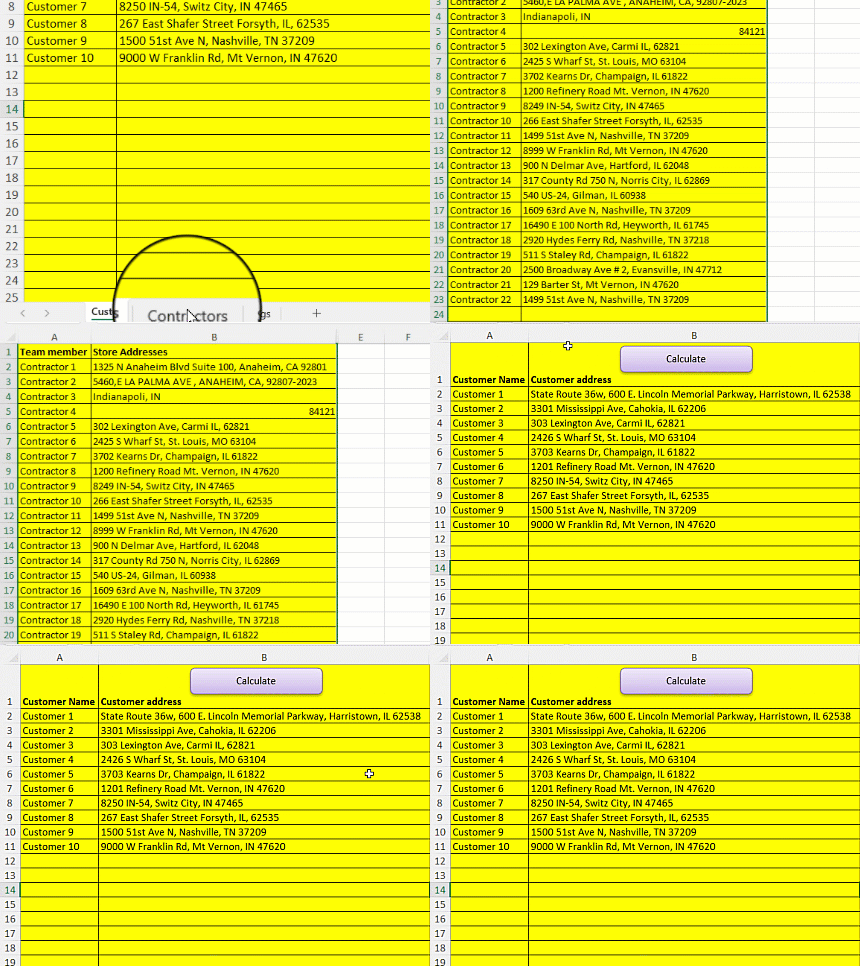
Step 1: Enter Your Data
Paste your client addresses and service provider locations into the Excel spreadsheet. The tool accepts full addresses, zip codes, city/state combinations, or even latitude/longitude coordinates.
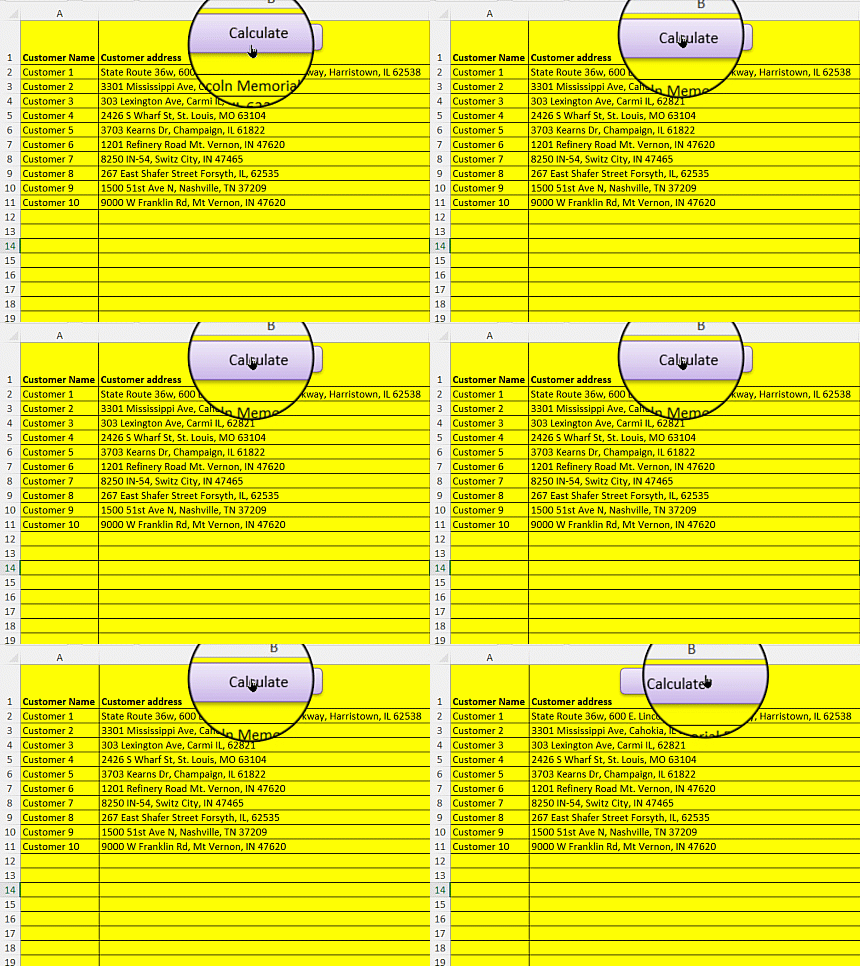
Step 2: Click Calculate
Hit the "Calculate" button and let the tool do the work. The Excel Store Locator connects to Google Maps to calculate real driving distances between every client and provider combination.
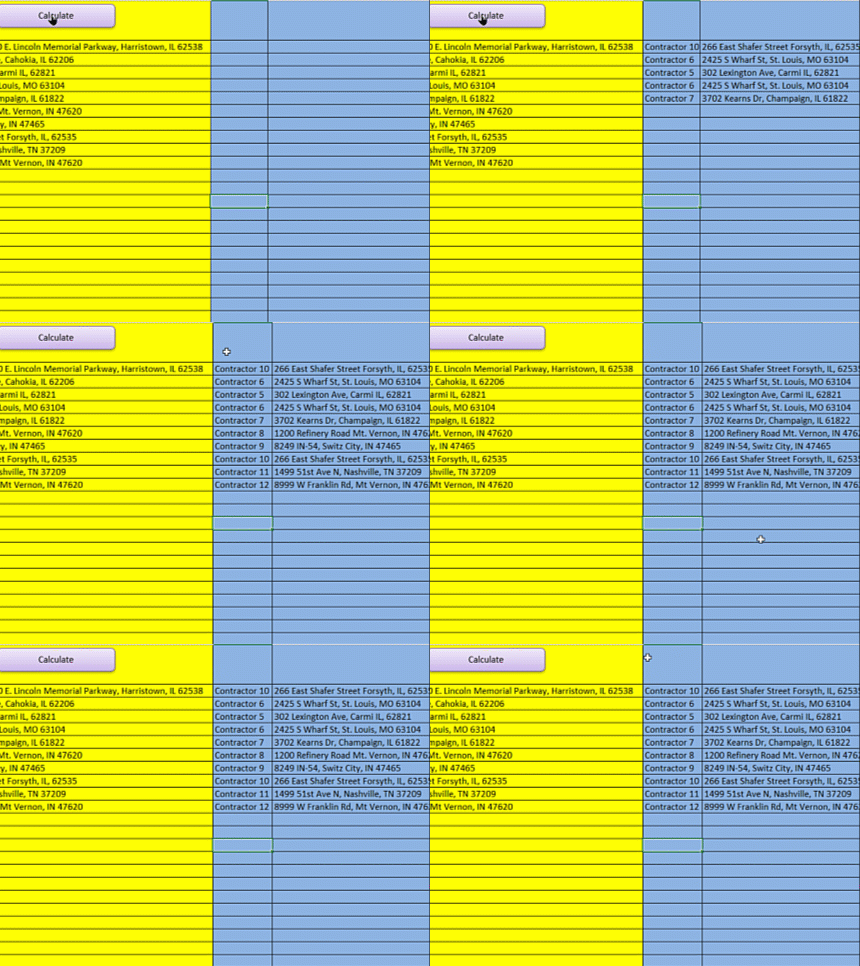
Step 3: Get Your Matches
That's it! The tool automatically matches each client to their closest service provider based on actual driving distance. Results appear directly in Excel—ready for dispatch.
Features of the Excel Store Locator
- Google Maps API Integration: Get driving distances accurate to 1/100th of a mile using real-time Google Maps data—not straight-line estimates.
- Batch Processing: Match hundreds or thousands of clients to providers in a single run. Process your entire customer database at once.
- Flexible Address Input: Enter full addresses, zip codes, city/state, or GPS coordinates. Mix and match formats in the same spreadsheet.
- Driving Time Calculations: Get estimated travel times alongside distances, accounting for real road conditions.
- Works Worldwide: Calculate distances for addresses in any country—US, Canada, UK, Europe, and beyond.
- Miles or Kilometers: Toggle between measurement units in the settings tab based on your preference.
- No Coding Required: If you can copy and paste in Excel, you can use this tool. Zero technical skills needed.
- Nothing to Install: The Excel Store Locator is a ready-to-use Excel file. Just open and start calculating.
Frequently Asked Questions
Is this a subscription or a one-time purchase?
The Excel Store Locator is a one-time purchase of $97. You own it for life with no monthly or annual fees—unlike subscription-based competitors that charge $50-200 per month.
Do I need any technical skills or coding knowledge?
None at all. If you can copy and paste data into Excel and click a button, you can use this tool. There's no programming, formulas to write, or complex setup involved.
What is the Google Maps API, and is it free?
The Google Maps API is what powers the accurate driving distance calculations. Setting up an API key takes about 5 minutes and is free. Google provides a $200 monthly credit (approximately 40,000 calculations) at no charge. Most users never exceed this limit.
What if I need help setting things up?
You get personal support from Vinnie, the creator. Call him directly at 801-243-8350, use the live chat on the website, or schedule a Zoom call. This is real human support—no AI chatbots or ticket queues.
How many clients and providers can I process at once?
The tool handles hundreds or thousands of addresses per run. The practical limit depends on your Google Maps API quota (40,000 free calculations monthly). For larger datasets, contact Vinnie for enterprise solutions.
Can I use this for international addresses?
Yes. The Excel Store Locator works with addresses worldwide—US, Canada, UK, Europe, Australia, and anywhere Google Maps has coverage. Just ensure there's a driving route between locations.
What's your refund policy?
100% money-back guarantee. If the product doesn't meet your needs for any reason, contact Vinnie for a full refund—no questions asked.
Stop Wasting Hours on Manual Lookups
Join 7,000+ customers who've transformed their dispatching workflow. The Excel Store Locator pays for itself in time saved within your first week. One-time purchase. Lifetime ownership. Personal support when you need it.
Get the Excel Store Locator – $97